You’ve been in training mode for hours. You can land that cool combo over and over against a dummy that just stands there. Then you hit ranked, and suddenly nothing works. The combo drops. You get counter-hit. Your inputs feel slow.
The problem isn’t your execution. It’s how you’re practicing. Most players treat training mode like a sandbox instead of a laboratory. They mash buttons against a passive dummy and wonder why they can’t improve.
2XKO’s training mode is packed with tools that most players never touch—frame data display, hitbox viewers, input history, and recording slots that let you simulate real match situations . When you learn to use these tools properly, you stop guessing and start knowing.
Here’s how to fix your training mode and actually get better at 2XKO.
The Settings You’re Ignoring (But Shouldn’t)
When you first open training mode, the default settings hide almost everything useful. You’re just hitting a dummy that stands there and takes it. That’s not practice—that’s muscle memory theater .
| Setting | What It Does | Why You Need It |
|---|---|---|
| Hitbox Display | Shows where attacks actually deal damage | Learn your range and punish opponents properly |
| Hurtbox Display | Shows where you can be hit (Basic or Advanced) | Understand why moves hit or whiff |
| Input History | Logs every button press with timing | Catch execution errors and bad habits |
| Data Display | Shows frame data, damage scaling, hitstun | Know exactly why your combo works or drops |
| Controller Input Display | Shows your inputs on screen | Great for streaming or recording practice |
Turn these on immediately. The frame data bar is particularly valuable—it turns vague feelings into measurable information. When you see that you’re +6 after a blocked move, you know it’s still your turn. When you’re -12, you know to stop pressing buttons .
The hitbox display shows you exactly how far your attacks reach. Most players lose because they misjudge spacing. With hitboxes visible, you can train your eyes to see the exact pixel where your move connects .
How to Set Up Realistic Bot Practice
A dummy that stands still and blocks is useless for real improvement. You need a training partner that fights back. That’s where 2XKO’s Recording and Reversal systems change everything .
Training Bot Settings That Actually Help
| Bot Behavior | Setting | What It Teaches |
|---|---|---|
| Random Block | Block: Random | Hit confirming (only finish combos when you see hit spark) |
| Guard Action | Push block or Retreating guard | Punishing predictable pressure |
| Reversal Actions | Wakeup, block recovery, hit recovery | Safe pressure and frame traps |
| Break on Hit | Set after 1-20 hits | Combo stability under pressure |
The real power is in Recording. Take control of the bot, record it doing a specific sequence—like a blockstring into a special move—then set it to play back on loop. Now you can practice punishing that exact situation repeatedly until it’s automatic .
Set up multiple recordings: one for a safe string, one for a punishable ender, one for a jump-in attack. Randomize between them and practice reacting correctly to each scenario. This builds the recognition speed you need in real matches .
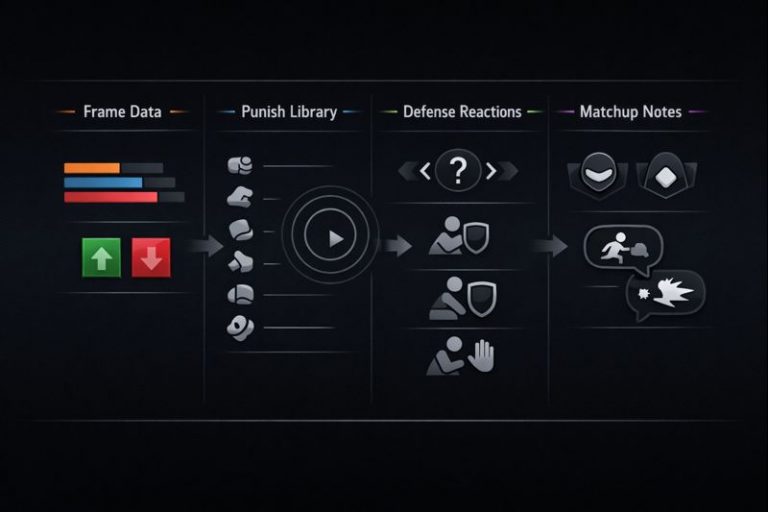
Three Practice Routines That Actually Work
Routine 1: The Turn Check (10 minutes)
Most players lose because they don’t know when their turn ends. This drill fixes that.
Pick your three most common pressure starters. End each one in three different ways. Use the frame bar or set the bot to mash a fast button after blockstun. Label each ender: safe (bot can’t punish), risky (bot can challenge), or punishable (bot hits you every time) .
Outcome: You’ll discover you’ve been ending pressure with “please punish me” buttons. Replace them with safe enders and watch your defense improve overnight.
Routine 2: Punish Recognition (15 minutes)
Record the bot doing two similar-looking options—one safe, one punishable. Set playback to random. Your job is to punish only the punishable one .
Start with obvious differences, then make them subtler. This trains your brain to spot the “tell” in real time. When you can do this consistently, you’ll start punishing opponents who thought their moves were safe.
Routine 3: Confirm or Die (10 minutes)
Set the bot to random block. Your rule: you only finish your combo if you see the hit spark. If the bot blocks, you stop immediately .
This is the hardest but most important drill. Most players autopilot their combos and get punished when the opponent blocks. This drill builds the discipline to check before committing. Do it until you can confirm consistently even when you’re nervous.